
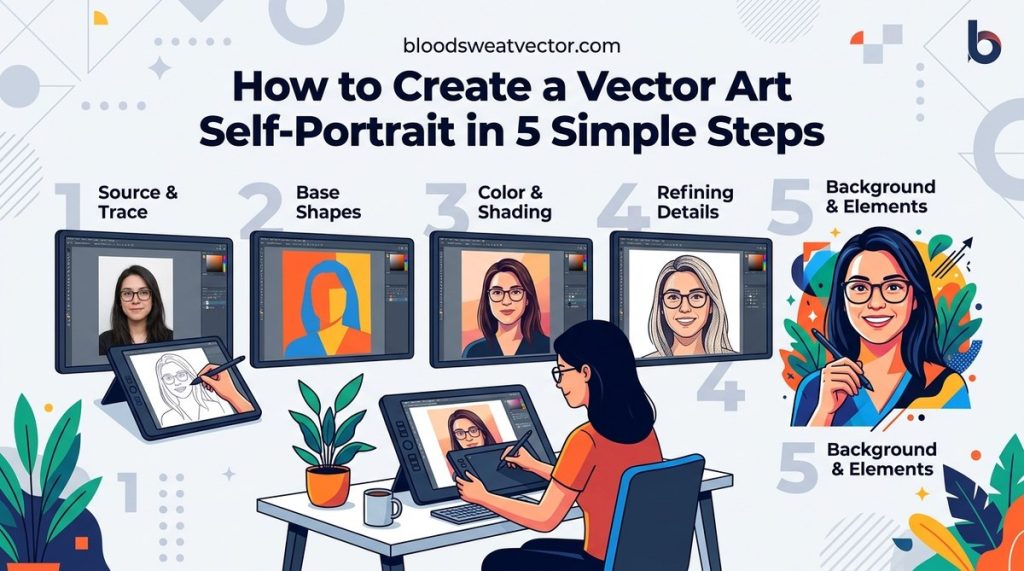
Creating compelling vector artwork requires more than just knowing how to draw shapes. It’s about mastering techniques that bring your designs to life with precision, flexibility, and style. Whether you’re just starting out or looking to elevate your skills, understanding the core principles of vector art techniques can significantly improve your digital creations. This guide covers practical methods, common mistakes to avoid, and expert tips to help you craft stunning vector graphics that stand out.
Mastering vector art techniques involves understanding shape creation, manipulation, and coloring. Practice with tools like the pen tool, layers, and gradients to craft scalable, clean designs. Avoid common pitfalls and continually refine your skills for digital artwork that captivates audiences.
Understanding The Foundations of Vector Art
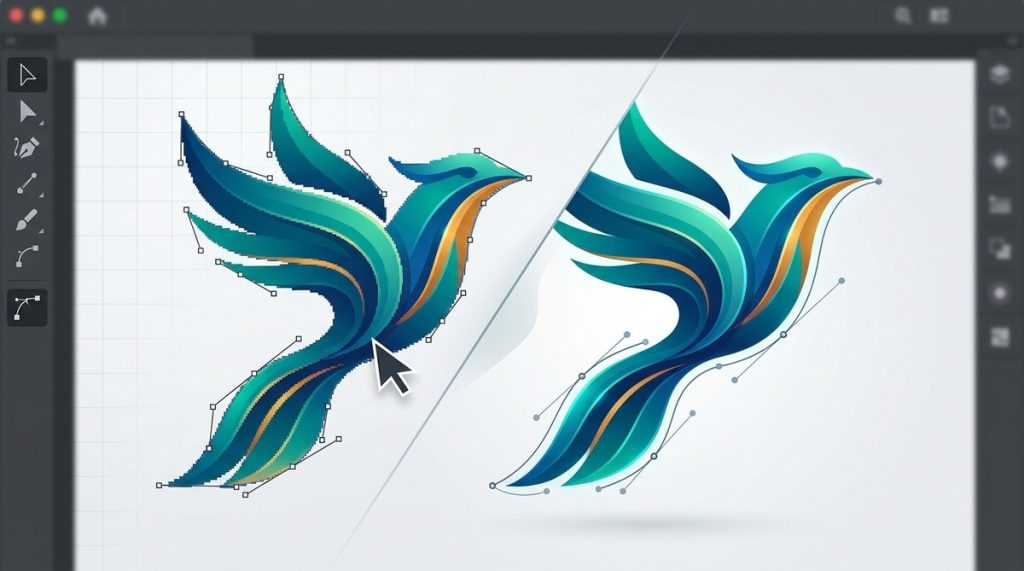
Before diving into techniques, it’s essential to grasp what makes vector art unique. Unlike raster images made of pixels, vectors are made of paths and curves defined mathematically. This allows designs to be scaled infinitely without loss of quality. Vector art is perfect for logos, icons, illustrations, and any project requiring crisp lines and scalability.
Key characteristics include:
– Scalability: No pixelation regardless of size.
– Editability: Easy to adjust shapes, colors, and curves.
– Precision: Clean, sharp edges perfect for detailed work.
Knowing these fundamentals helps you choose the right techniques for your project.
Essential Techniques for Creating Stunning Vector Art
Mastering vector art techniques involves a combination of foundational skills and creative practices. Here are some of the most valuable methods to develop your digital design prowess.
1. Building Shapes with the Pen Tool
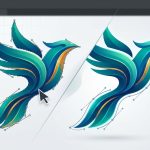
The pen tool remains the cornerstone of vector design. It allows you to create intricate shapes and paths with precision. Practice drawing basic shapes like circles, squares, and custom curves to understand how to manipulate anchor points and handles.
- Focus on creating smooth curves by adjusting Bezier handles.
- Use the pen tool to trace over sketches for more detailed work.
- Experiment with closing paths for complex shapes.
2. Using Layers and Groups Effectively
Layers help organize your work, especially when dealing with complex illustrations. Group related shapes to keep your workspace tidy and facilitate collective adjustments.
- Name layers clearly to locate elements quickly.
- Use layer order to control stacking and overlapping.
- Lock or hide layers to simplify editing.
3. Applying Color and Gradients
Color choices greatly influence the impact of your vector art. Use flat colors for simple designs or gradients for depth and dimension.
- Create custom gradients to add subtle shading.
- Use transparency settings to blend colors smoothly.
- Experiment with multiple gradient types like linear and radial.
4. Incorporating Shadows and Highlights
Adding shadows and highlights brings realism and depth. Use the transparency and blending modes to overlay subtle shading.
- Use the gradient tool to create soft shadows.
- Apply highlights with lighter colors on key areas.
- Keep shadows consistent with your light source.
5. Mastering the Use of the Pathfinder Tool
The pathfinder tool allows you to combine, subtract, or intersect shapes seamlessly. It’s essential for creating complex illustrations from simple shapes.
- Use “Union” to merge shapes.
- Use “Subtract” to carve out sections.
- Use “Intersect” for overlapping areas.
6. Working with Bezier Curves
Bezier curves give you control over the shape and flow of your lines. Mastering this will enable you to produce smooth, natural curves.
- Adjust anchor points for precision.
- Manipulate handles for curve flow.
- Practice converting corner points to smooth curves.
7. Developing Consistent Stroke and Fill Styles
Consistency in line weight and fill patterns helps your artwork look professional.
- Set stroke widths that match your style.
- Use consistent color palettes.
- Save common styles as swatches for quick application.
Common Mistakes to Avoid in Vector Design
Despite your best efforts, certain mistakes can hinder your progress. Being aware of these pitfalls helps you create cleaner, more effective vector graphics.
| Mistake | Explanation | How to Avoid |
|---|---|---|
| Overcomplicating shapes | Excessive details can clutter your design | Simplify shapes and focus on key elements |
| Ignoring alignment | Misaligned elements look unprofessional | Use guides and snapping features |
| Overusing gradients | Too many gradients can distract or muddy | Use gradients sparingly for emphasis |
| Not organizing layers | Chaos makes editing difficult | Keep layers structured and labeled |
| Neglecting scalability | Designs lose quality when resized | Focus on smooth curves and clean lines |
“The secret to great vector art is understanding when to keep things simple and when to add detail. Less is often more.” — Expert designer Jane Doe
Practical Tips To Elevate Your Vector Artwork
To craft professional-looking vector designs, consider these practical tips:
- Always start with a rough sketch or concept.
- Use grids and guides to ensure precision.
- Keep your work non-destructive by duplicating elements before making adjustments.
- Regularly zoom in and out to check details and overall composition.
- Save versions to track progress and experiment safely.
- Study works from experienced artists for inspiration and insight.
Final Touches To Perfect Your Digital Creations
Refining your artwork is as crucial as the creation process itself. Add finishing touches like subtle color adjustments, fine-tuning curves, or applying texture overlays for a more polished look.
- Use the transparency panel for soft shadows.
- Add small details to enhance focal points.
- Export your work in multiple formats for different uses.
The Path To Mastery in Vector Art
Learning vector art techniques for digital design is a journey. It involves consistent practice, a willingness to experiment, and a keen eye for detail. Keep challenging yourself with new projects and tutorials to refine your skills.
Remember, the most stunning designs don’t happen overnight. Embrace mistakes as learning opportunities and stay persistent. With time and effort, your vector artwork will become more precise, expressive, and captivating.
Elevate Your Digital Art with the Right Techniques
Harnessing these vector art techniques transforms your ideas into professional-quality graphics. Whether you’re designing logos, illustrations, or icons, mastering these methods will give your work clarity and impact. Dive into tutorials on vector art techniques for digital design to see real examples and develop your skills further.
Remember, the key to impressive vector art is consistency and attention to detail. Keep practicing, stay curious, and enjoy the creative process. Your future projects will thank you for it.
Happy designing! Your journey into creating stunning digital vector artwork is just beginning. Keep experimenting with new techniques, learn from others, and most importantly, enjoy every step of your artistic growth.